
SGC Studio · Debt · Credit · Budgets
Know the exact month you'll be debt-free.
Type in your debts, pick a method, and see your date in 10 minutes. Then move it closer.
Minimum payments are designed to keep you paying.
In our fictional example, minimums only take 59 months. A plan takes 23.
One maxed-out card can drag your whole score.
Overall utilization looked fine at 27%. One card was at 70%.
You don't have a money problem. You have a leak problem.
Plan each paycheck before it lands and find the extra.
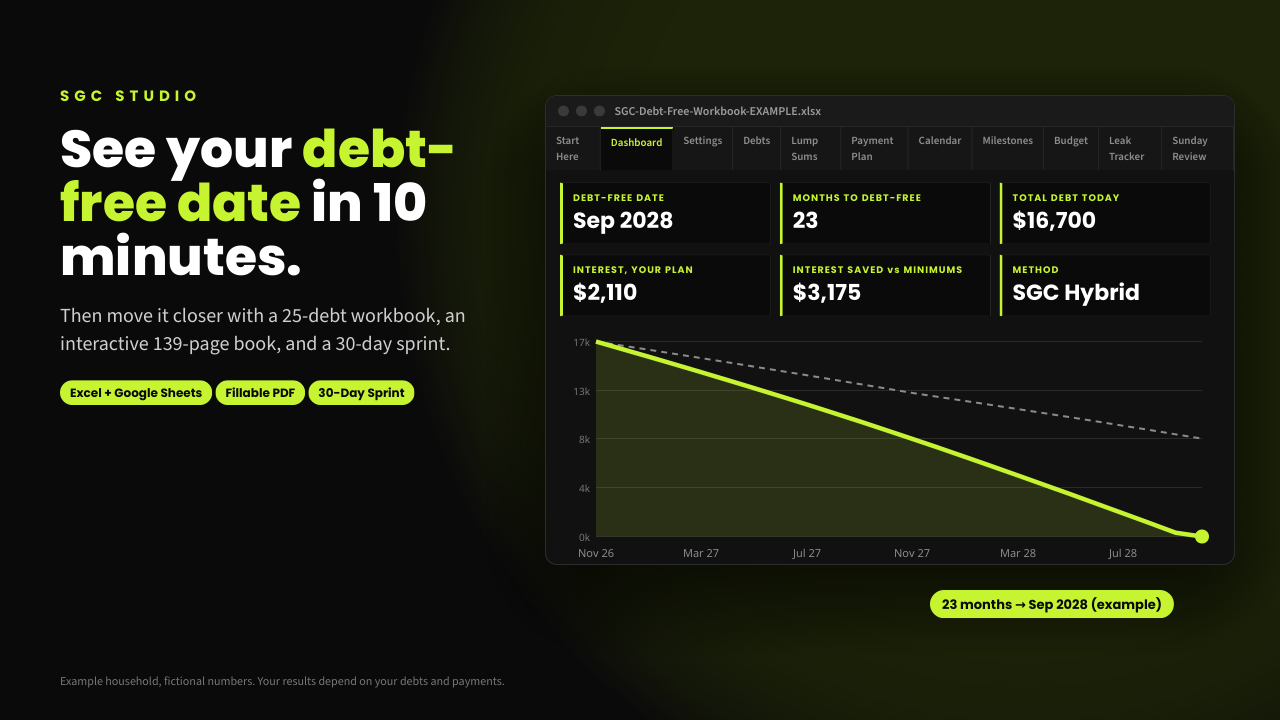
★ Best seller · 139-page ebook, free updates
Stop guessing. See your debt-free date.
Type your debts into the workbook, pick a method, and the Dashboard shows your debt-free date, months to go, total interest and interest saved compared with paying minimums. The book and the 30-day Sprint give you the week-by-week habits to stick with it.
- +25-debt Excel / Google Sheets workbook
- +139-page ebook, free updates every 6 months
- +30-Day Debt-Free Date Sprint
Your debt, credit and budget in plain numbers.
Work in Excel or Google Sheets, or print and use a pen. Every example uses fictional numbers.
SGC Debt Free
See your debt-free date in 10 minutes. Then move it closer.
View & buy →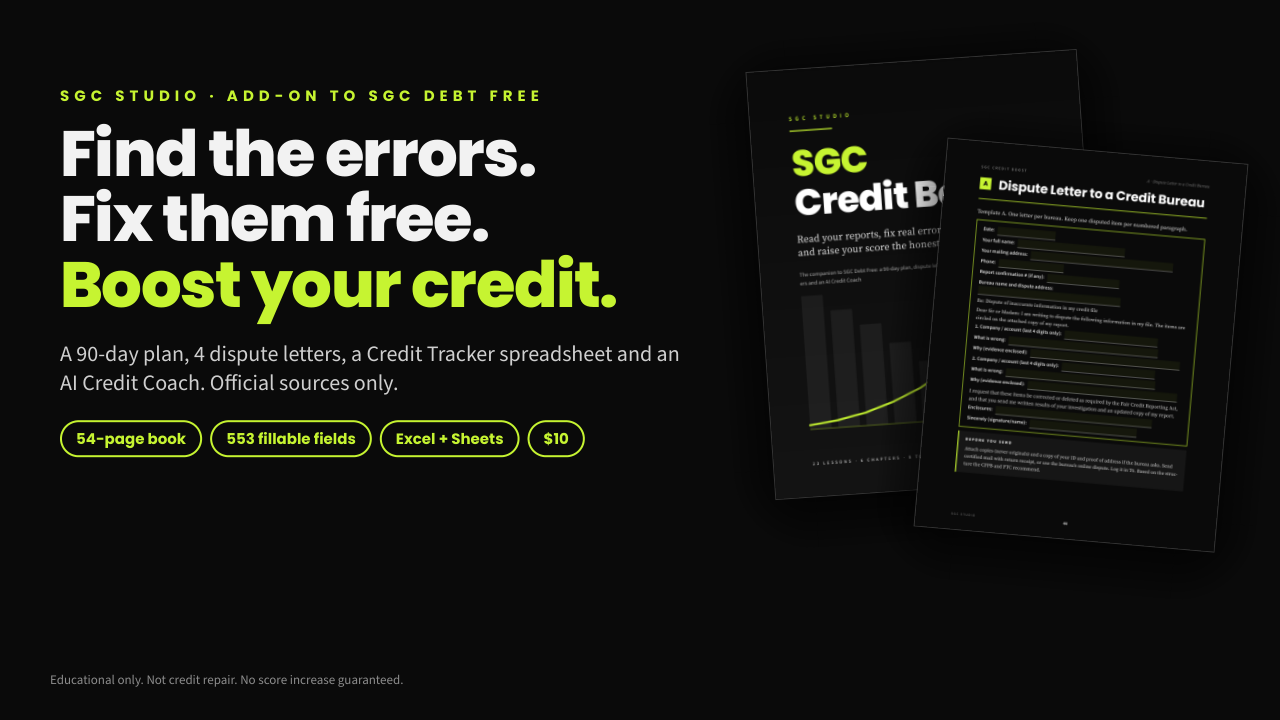
SGC Credit Boost
Find the errors on your reports. Dispute them free.
View & buy →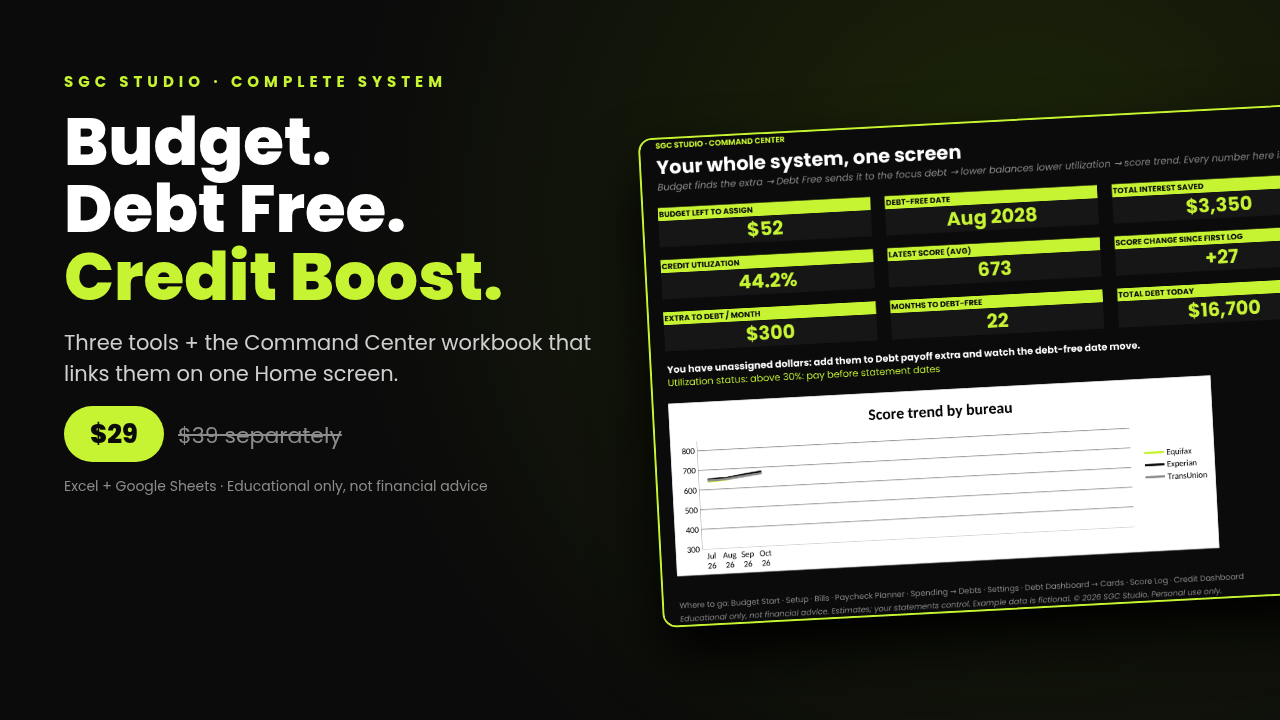
SGC Studio Complete System
Budget, debt and credit on one linked Home screen.
View & buy →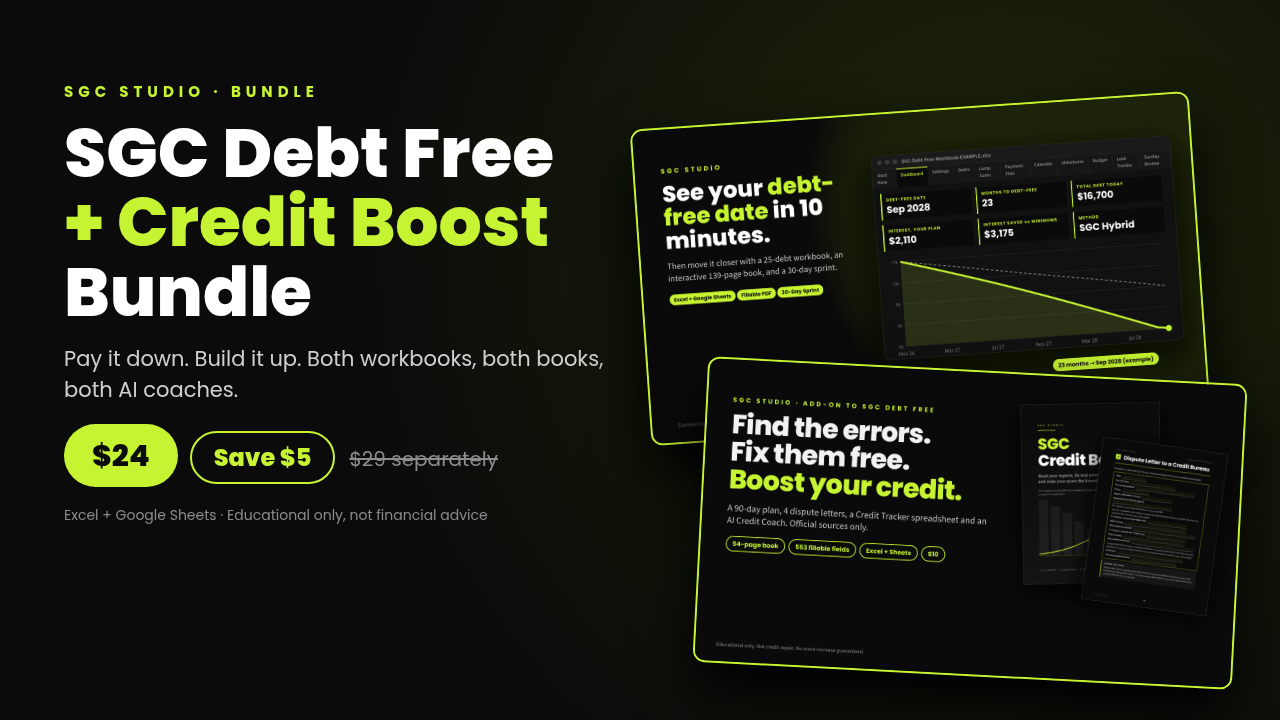
Debt Free + Credit Boost Bundle
Your payoff order and your payment timing, together.
View & buy →★ Best value · Save $20
Find the extra. Send it. Watch it work.
All three tools for the price of Debt Free alone. Each does a different job, and the Command Center links them so you see everything on one Home screen.
| SGC Debt Free | Picks your payoff order and shows your debt-free date | $29 |
| SGC Credit Boost | Times card payments so lower balances reach your reports | $10 |
| SGC Budget Control | Plans each paycheck and finds the extra money | $10 |
| Command Center | Links all three on one Home screen (only in this bundle) | Included |
Only need debt and credit? The Debt Free + Credit Boost Bundle is $24 instead of $39.
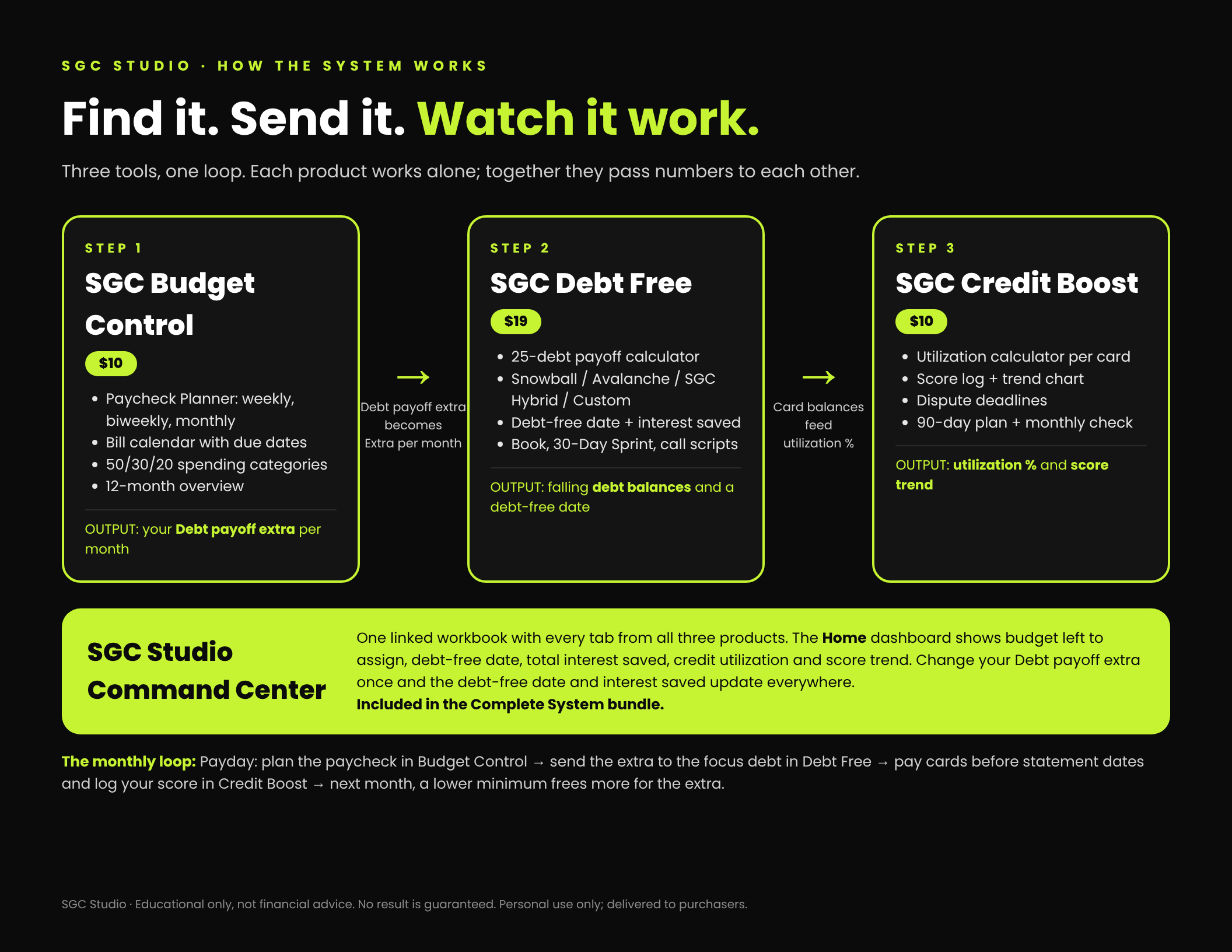
- 01
Find the extra
Plan each paycheck and see what's left to assign.
- 02
Send it
Pick a payoff order and watch your debt-free date move.
- 03
Watch it work
Time card payments so lower balances show on your reports.
01How do I get my files?+
Checkout runs on Gumroad. Your download link arrives instantly on screen and by email.
02Do I need Excel?+
No. Every workbook imports into free Google Sheets (File > Import > Upload). PDFs open in any reader.
03Does anything connect to my bank?+
No. Everything stays in your own files. Nothing is uploaded and nothing links to your accounts.
04Is this financial advice?+
No. SGC Studio makes educational tools. For your situation, speak to a qualified professional or a nonprofit credit counselor.
05Can I get a refund?+
Yes. If a file doesn't open or work as described, reply to your Gumroad receipt within 7 days.
- 7-day refund if a file doesn't work as described.
- Personal license.
- PDFs are stamped to the buyer.
- No sharing or reselling.
Educational only, not financial advice.